Business
Your yard name, phone, office address, country and time zone, where each one shows up, and your legal and tax info.
The Business card holds the facts about your yard that your site repeats everywhere: in texts to sellers, on the seller form, in your public pages and on the offer.
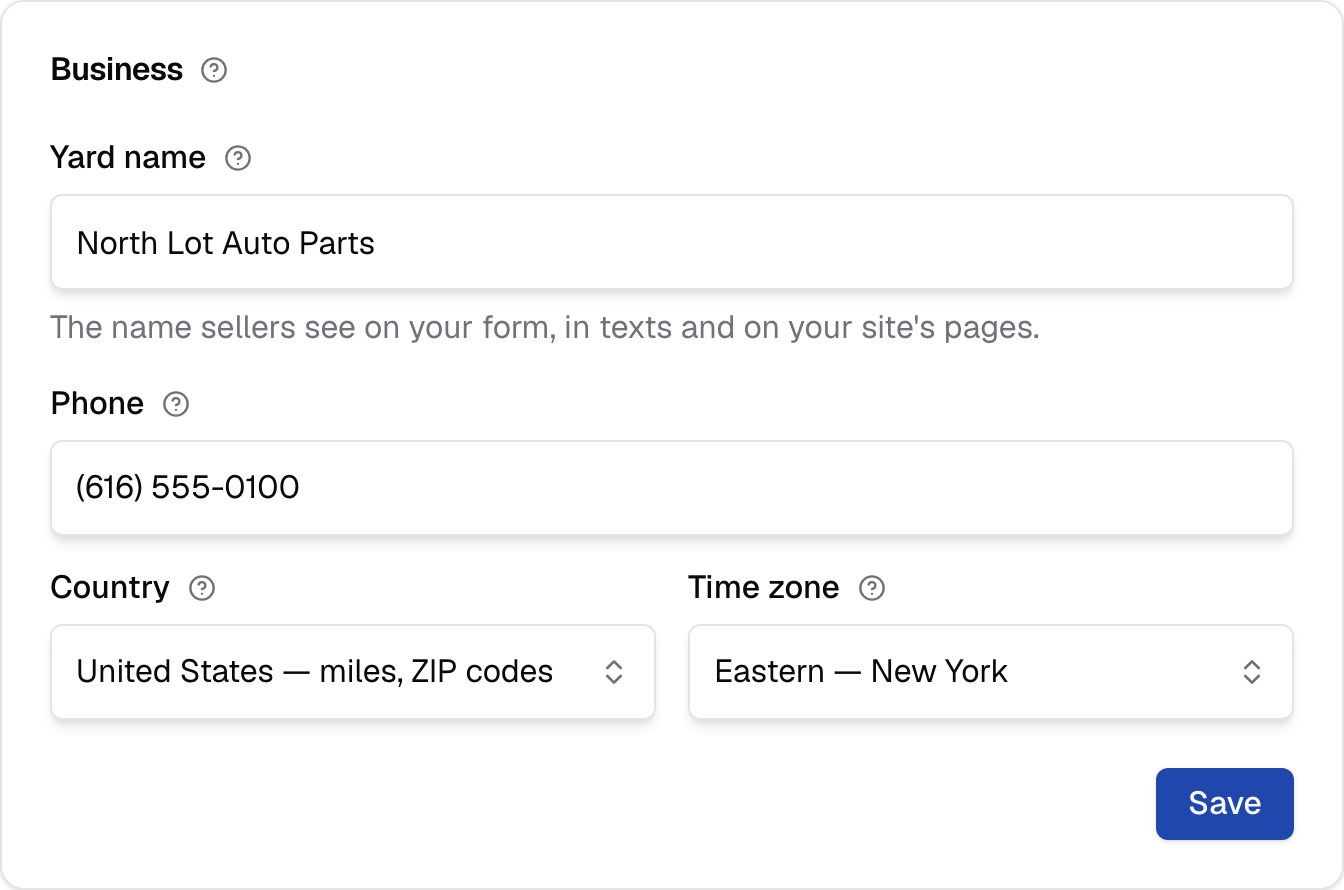
Business
Who you are to sellers: your yard name, phone, office address, country and time zone. This card saves on its own.
On a yard's own site, a Business info button at the foot of this card takes you back to the setup step where you first entered these details. Yard name, phone, office address and time zone are on both pages, and a save on either changes the same details. Your website is changed on the seller form's Website page. Your legal name isn't on this card: it's under Legal and tax info, which only InstaBidder Support changes.
Office address
Your business's address, as on your registration: the office, which can be somewhere no car ever goes. Carriers that review your texting number check it against your registration. Where your trucks leave from is a location, not this.
Yard name
The name sellers see: on your seller form, in your texts and on your site's pages. It can be the name on your sign rather than your legal name.
Texts to sellers begin with it, and your front page, Terms and Privacy pages name it. Where it isn't your legal name, those pages also say who operates the yard ("North Lot Auto Parts is operated by North Lot Holdings LLC"), and the texting consent sentence names both, because carriers check that the business sellers see is the one registered. Up to 120 characters; empty or longer, your site says "Enter the yard name sellers know you by, up to 120 characters."
It fills the {yard_name} token in your Terms and
Privacy pages. Once your texting registration
is underway (your EIN, or a sole proprietor's rep, is on file), carriers have this
name on it, and the field says so, here and on Business info: "Your texting
registration shows this name to sellers and carriers; tell Support before changing
it." You can still change it; tell Support so the registration is resubmitted with
the new name.
Legal and tax info
Your legal name exactly as on your IRS EIN letter, your EIN, kind of business and authorized rep: what carriers register your texting number under. Only InstaBidder Support changes them.
They're read-only for you and your team, so they match what was filed with carriers; InstaBidder Support corrects them with Edit legal and tax info; a value that doesn't match the IRS record gets your texts rejected. If one is wrong, or the card says "Support still needs" something, email [email protected] and InstaBidder changes it here and with the carriers. A missing value is marked Missing.
Your legal name fills the {legal_name} token in your Terms and
Privacy pages.
Phone sellers should call
The number a seller can call. It's on the last screen of your seller form and in your texts, and it fills the token in your Terms and Privacy pages.
Use a number somebody answers. A seller who doesn't want to text, or who has a
question about the offer, calls this number. Type it the way sellers should read
it, up to 40 characters; empty or longer, your site says "Enter a phone number
sellers can call, up to 40 characters." Your front page, Terms and Privacy pages
show a ten-digit number as (555) 010-0199 however you typed it.
Country
United States or Canada. It changes what you read on screen: miles and ZIP codes, or kilometres and postal codes. It doesn't change your offers.
The list reads "United States — miles, ZIP codes" and "Canada — kilometres, postal codes". During setup your country follows the office address on Business info; once setup is finished, this is the only place it changes.
Choosing Canada switches every radius you type to kilometres and every tow rate to a per-kilometre rate. Figures you already saved are converted, so a 50-mile radius becomes about 80 km rather than 50 km. See Canada.
Labels follow the country you last saved, not the one you've just picked, so the page doesn't change until you save.
Time zone
The time zone your yard works in. It dates the good-until day on each offer and the times your team sees, so pick the one your lot is in.
The day a seller reads as "good until" is worked out in this zone, and the zone in force when the offer was made stays with that offer. Changing the zone later doesn't move the date on an offer a seller already has.
The list covers the United States and Canada: seven zones in each, named for a city, such as "Mountain — Denver" or "Atlantic — Halifax". Arizona and Saskatchewan have their own entries, because they don't change their clocks. If yours isn't obvious, pick the zone of the city where most of your pickups happen.